Right-sized hardware
Equipment matched to your staff, devices and growth, without over- or under-buying.
Business Networking & WiFi
We design, install and document business networks: routers and firewalls, PoE switches, WiFi access points, separate guest and staff networks, and battery backup. Clean racks and clear documentation so your team can stay focused on the business.
What you get
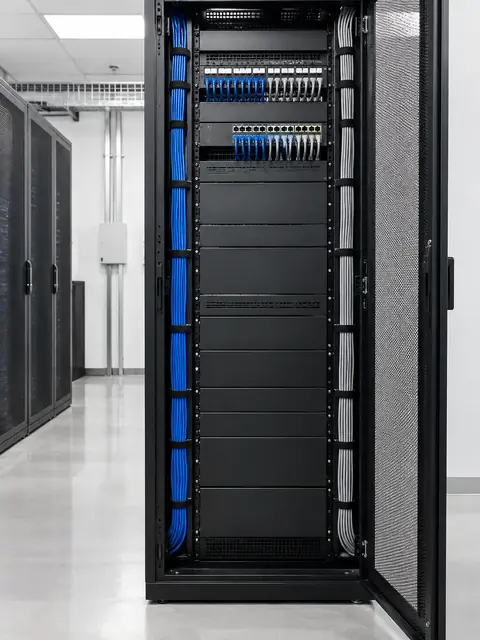
Equipment matched to your staff, devices and growth, without over- or under-buying.
Separate guest, staff, camera and payment networks, with sensible firewall rules.
Access points placed for the number of people in each area, not just for signal strength.
Patch panels, cable management and labeled ports.
Network diagram, login records for the owner and a simple handoff.
Troubleshooting, upgrades and moves without starting from scratch.
What most people don’t know
Plain answers from the install side, so you can decide with the full picture.
If guests, cameras, point-of-sale and staff computers share one flat network, any single infected device can reach everything. Separating them takes little extra effort when built in from the start, and it also makes troubleshooting easier.
A small UPS at the rack keeps routers and switches running through short outages and cleans up power dips that shorten equipment life. It also lets cameras and access control keep working when the lights flicker.
An office can show five bars of signal and still be slow when fifty people connect. Access point count and placement should follow people and devices, not floor area.
The business owner should always have the admin credentials and a copy of the network diagram. If your IT person leaves, nothing should be locked away.
How it works
We look at the space, talk through how you use it and what you want to fix.
A written plan and clear price. Changes are agreed before work happens.
Neat, labeled work, with respect for your home or business.
We test everything, walk you through it and stay available after.
FAQ
Usually we use the provider’s device only as the connection to the internet and put proper business equipment behind it.
Yes. We plan cabling and equipment for the new space, and coordinate service and cutover.
We handle service, troubleshooting and upgrades. Ask about what fits your size.
Yes, with separate access, so guests can get online without reaching your business systems.
Often yes. For work that affects operations, we plan changes outside business hours.
A short description is enough. We will reply with next steps and a written quote.