Clear day and night
The right camera for each location: wide views for yards and driveways, tighter views for doors and entries.
Security Cameras
We install indoor and outdoor camera systems that record to your own storage, send smart alerts and keep working without a monthly fee for the basics. Neatly wired, correctly aimed and set up so you can actually find the video when you need it.
What you get
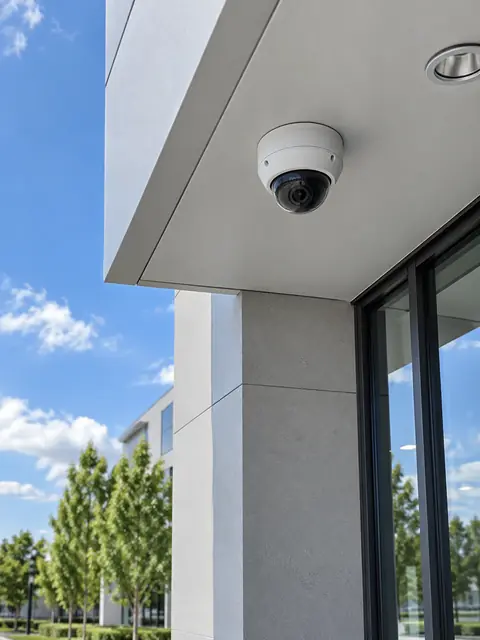
The right camera for each location: wide views for yards and driveways, tighter views for doors and entries.
Video can be stored on a recorder in your home, with optional cloud backup if you want it.
Alerts for people, vehicles or packages instead of every leaf and shadow, tuned for your property.
Cameras powered and connected through one Ethernet cable do not need charging and are not dependent on WiFi.
Give family members their own access, and remove it any time.
Cables hidden where possible, connections sealed, cameras aimed and tested at night.
What most people don’t know
Plain answers from the install side, so you can decide with the full picture.
WiFi cameras still need power, and when they are far from the router the video drops or stutters. A PoE camera gets both power and data from one cable that runs back to a recorder. It is more reliable, has no batteries to charge, and does not slow down your WiFi.
A 4K camera with a bad angle or harsh backlight can give worse evidence than a 4MP camera in the right spot. Placement, lens, lighting and night mode matter as much as resolution. Higher resolution also needs far more storage.
Recording time depends on camera count, resolution, compression and whether you record all the time or only on motion. We size the recorder disk so you get the number of days you want, and tell you the number before you buy.
Many consumer cameras only keep video if you keep paying. A local recorder keeps video in your home with no monthly fee, and you can still add cloud backup or remote viewing on top.
How it works
We look at the space, talk through how you use it and what you want to fix.
A written plan and clear price. Changes are agreed before work happens.
Neat, labeled work, with respect for your home or business.
We test everything, walk you through it and stay available after.
FAQ
Usually fewer than people think. We start with entrances, driveways and blind spots and add from there. A short walk-through is the best way to count.
You choose: always recording, motion only, or a mix. Most homes use motion-based recording with continuous at key doors.
Yes. Systems come with a secure phone app for live view, playback and alerts, with no router changes that expose your network.
Sometimes, such as garages, basements or common areas. We recommend cameras where they help and respect where privacy matters.
Audio recording rules vary and many people prefer not to record sound. We can set cameras up without audio, or with two-way talk at the door.
A short description is enough. We will reply with next steps and a written quote.